
How to Build Multimodal Live Agents for Proactive Monitoring with ADK, Gemini 3 and Live API
A Quick Tutorial on Developing with ADK Streaming Tools and Gemini 3 Vision

In this tutorial, we’re building something different but quite useful: a real-time proactive AI agent that doesn’t just respond when you ask, but actually monitors video streams and speaks up when it detects changes.
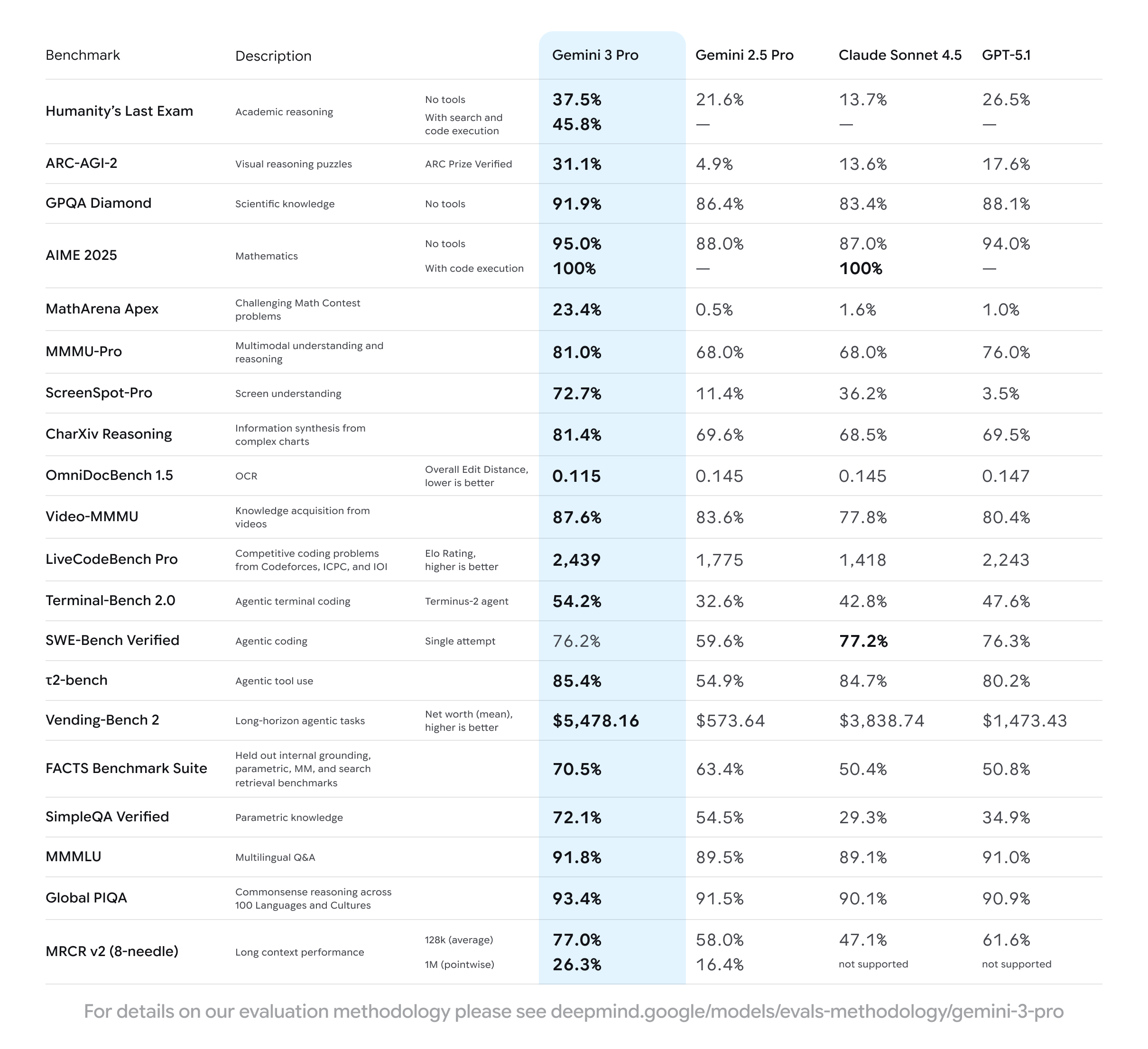
Google recently released Gemini 3 Pro, and the benchmark numbers are impressive:
91.9% on GPQA Diamond for scientific knowledge
95% on AIME 2025 for mathematics
High scores on LiveCodeBench Pro for coding capability
But the most standout feature is visual understanding:
31.1% on ARC-AGI-2 for visual reasoning puzzles (twice higher than GPT-4o and Claude Sonnet 3.5)
72.7% on ScreenSpot-Pro for screen understanding (much higher than any other models currently)
These are not small improvements—this is a big jump in how AI models understand visual information.
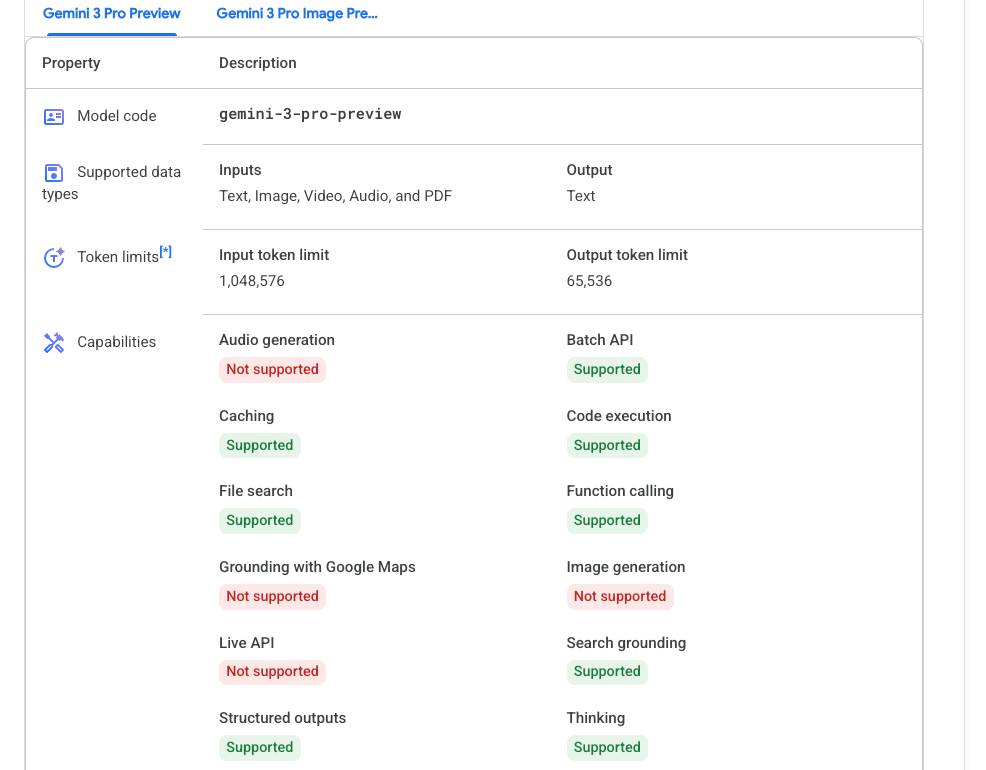
But there’s a problem: Gemini 3 Pro doesn’t have a Live API model yet. The most advanced live API model currently is still Gemini 2.5 Flash. You can’t use Gemini 3 Pro for real-time voice conversations.
So how do you take advantage of these vision improvements in a voice agent that can make live conversations based on vision context?
This is where ADK comes in. The Agent Development Kit, released by Google, lets you combine different models in one agent. You can use Gemini 2.5 Flash Live for voice interaction, but call Gemini 3 Pro separately for vision analysis during the conversation. You get the best of both: natural conversation from Gemini 2.5 Live and strong visual understanding from Gemini 3 Pro.
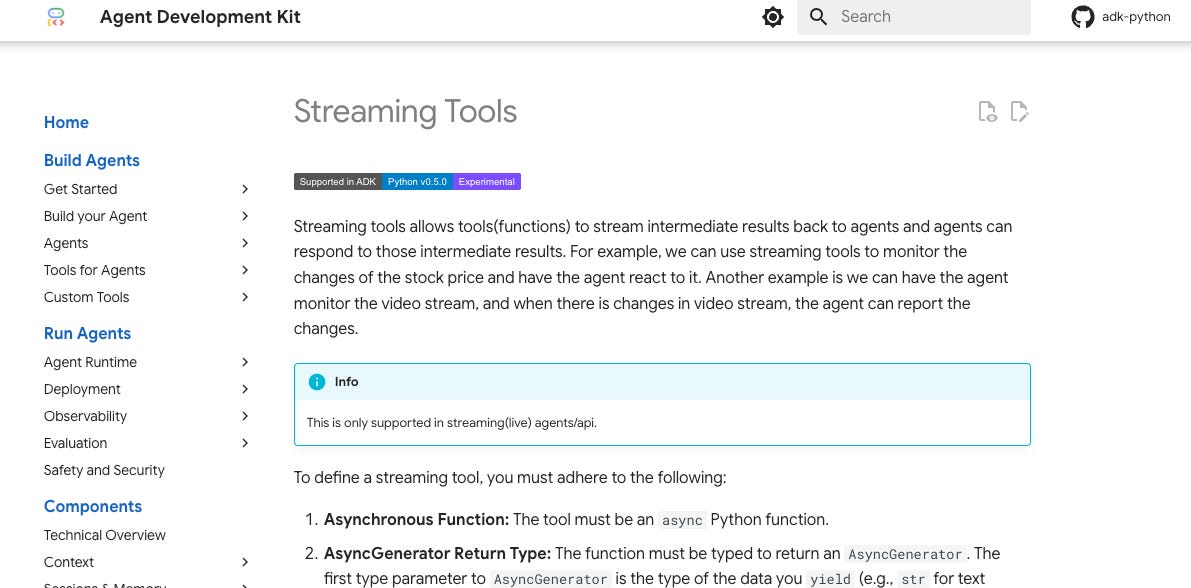
But there’s something even more interesting in ADK: streaming tools. Most voice agents are reactive—the user speaks, the agent responds, then waits. With streaming tools, you can build proactive agents that monitor something in the backend and actively speak up when they detect changes. The agent doesn’t wait to be asked. It pays attention by itself and alerts you when something happens.
By the end of this tutorial, you’ll have two working examples:
A basic streaming agent that monitors fake stock prices (explains perfectly how this kind of real-time application works)
An advanced video monitoring agent that uses Gemini 3 Pro to watch your camera and alert you when things change—like when you stop looking at the screen during a focus session
Live Demo
Let’s first see how this works. We have two agents:
Streaming Basic Agent - the official demo that monitors stock prices
Video Monitor Agent - a more comprehensive real-time agent
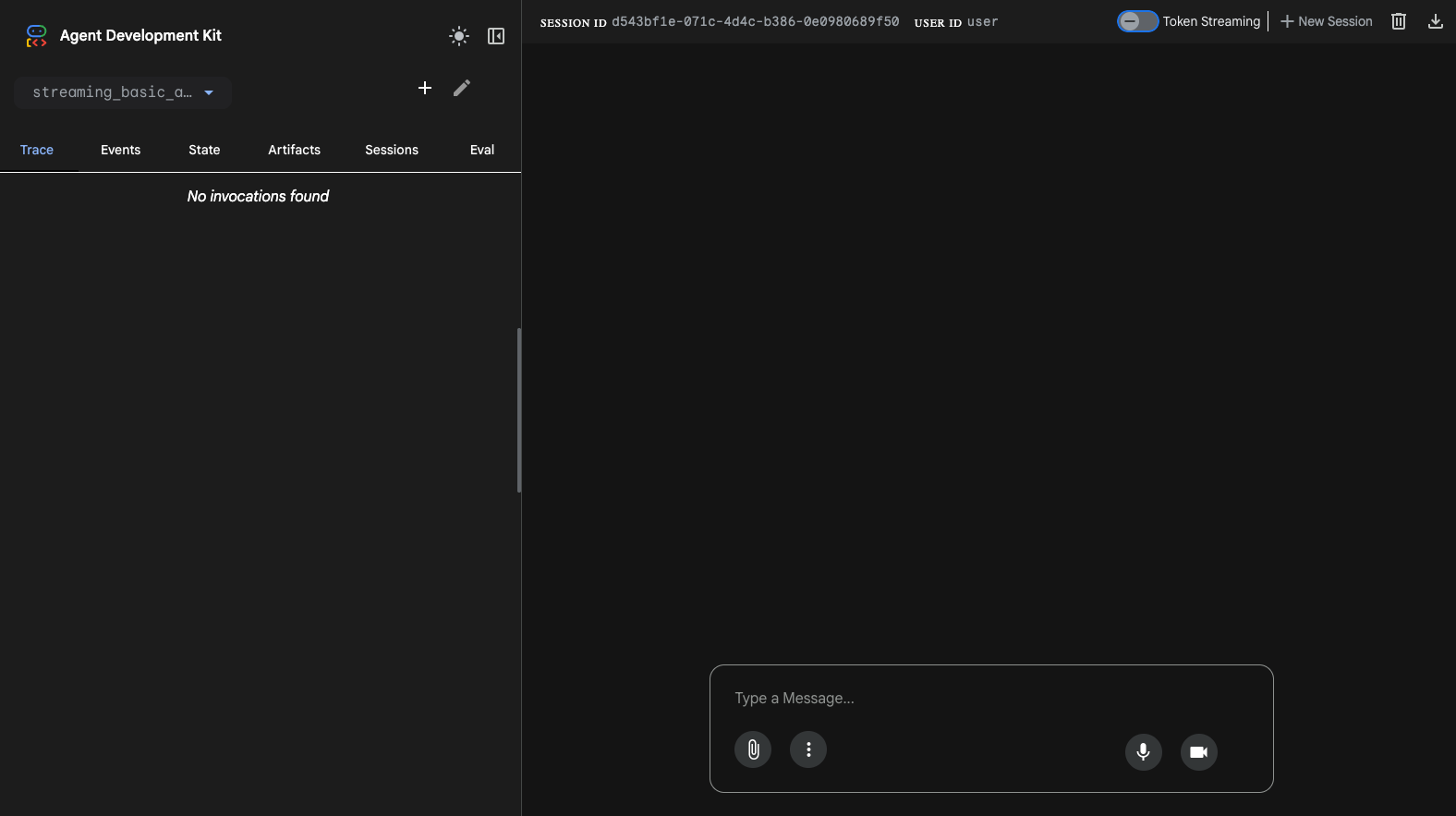
Run the ADK web command to start the integrated frontend UI:
adk webThis runs the integrated frontend provided by ADK. You don’t have to build anything for the UI and user experience—you just provide the agent definition in the backend.
Part 1: Understanding Streaming Tools
What Makes Streaming Tools Different
Traditional agent tools are request-response functions. You ask “What’s the weather?” and the tool returns a result immediately:
def get_weather(city: str) -> str:
    return f”The weather in {city} is sunny”  # Returns immediately
Streaming tools are different. They use yield instead of return to make periodic outputs:
async def monitor_stock_price(stock_symbol: str) -> AsyncGenerator[str, None]:
    while True:  # Enters a loop
        price = await fetch_current_price(stock_symbol)
        yield f”Price update: {stock_symbol} is now ${price}”  # Yields periodically
        await asyncio.sleep(60)  # Waits and repeats
The key differences:
Yield vs Return: The tool doesn’t return immediately. It enters a loop and yields responses at certain periods.
Async Execution: The tool runs in parallel with the model as an async generator.
Continuous Monitoring: The tool keeps working and outputting results over time.
This is the difference between a voice assistant and a voice companion. One waits to be asked. The other pays attention and speaks up when needed.
ADK Framework Makes It Easy
Here’s the best part: ADK makes streaming tools really easy. You only need to:
Define an async generator function
Wrap it with
FunctionToolAdd it to the agent’s tools
The framework handles everything else:
WebSocket streaming
Session management
Audio encoding
UI integration
Here’s the complete pattern:
from google.adk.agents.llm_agent import Agent
from google.adk.tools.function_tool import FunctionTool

async def my_streaming_tool(param: str) -> AsyncGenerator[str, None]:
    while True:
        result = await get_data(param)
        yield result
        await asyncio.sleep(interval)

root = Agent(
    model=”gemini-2.5-flash-native-audio-preview-09-2025”,
    name=”my_agent”,
    tools=[FunctionTool(my_streaming_tool)]
)
Run adk web, and you get a full UI with text chat, voice interaction, and debugging tools. No custom frontend needed.
Part 2: Basic Example - Stock Price Monitoring
Now let’s look at the basic agent to understand the pattern. When you read the code, you’ll see it’s very simple.
import asyncio
from typing import AsyncGenerator

from google.adk.agents.llm_agent import Agent
from google.adk.tools.function_tool import FunctionTool


async def monitor_stock_price(stock_symbol: str) -> AsyncGenerator[str, None]:
    “”“
    Monitor the price for the given stock symbol in a continuous, streaming way.

    Args:
        stock_symbol: The stock ticker symbol to monitor (e.g., ‘AAPL’, ‘GOOGL’)
    “”“
    print(f”Start monitoring stock price for {stock_symbol}!”)

    # Simulate stock price changes with mock data
    # Generate random prices every 5 seconds
    while True:
        await asyncio.sleep(5)
        import random
        price = random.randint(200, 400)
        yield f”The price for {stock_symbol} is ${price}”


def stop_streaming(function_name: str):
    “”“Stop a currently running streaming function.”“”
    print(f”Stopping streaming function: {function_name}”)
    return f”Stopped {function_name}”


root = Agent(
    model=”gemini-2.5-flash-native-audio-preview-09-2025”,
    name=”basic_streaming_agent”,
    description=(
        “A basic streaming agent that demonstrates ADK streaming tool capabilities.\n\n”
        “Example usage:\n”
        “- ‘Monitor the stock price for AAPL’\n”
        “- ‘Stop monitoring’”
    ),
    tools=[
        FunctionTool(monitor_stock_price),
        FunctionTool(stop_streaming),
    ],
)
Understanding the Pattern
The pattern is very simple:
Define the function as an async generator with
AsyncGeneratortypeEnter a loop with
while Trueor similar logicGenerate data - in this case, random numbers as fake stock prices
Yield the result to the agent
Wait a bit with
await asyncio.sleep(5)Repeat - each yield becomes a proactive agent response
The stop_streaming function helps users stop the monitoring from voice interaction.
Agent Definition
In the agent definition, you can see:
root = Agent(
    model=”gemini-2.5-flash-native-audio-preview-09-2025”,  # Live model for voice
    name=”basic_streaming_agent”,
    description=”Keep monitoring the stock price in real time using streaming tools”,
    tools=[
        FunctionTool(monitor_stock_price),  # Receives stock price changes
        FunctionTool(stop_streaming),       # Stops the monitoring loop
    ],
)
The root agent is recognized by ADK UI. It uses Gemini 2.5 Flash Native Audio Preview model for live communication, and the two tools are wrapped by FunctionTool into the tools field.
Part 3: Advanced Example - Video Monitoring with Gemini 3 Pro
Now let’s build something more interesting: a video monitoring agent that uses Gemini 3 Pro’s vision capabilities to watch your camera and alert you when conditions change.
Keep reading with a 7-day free trial
Subscribe to Lab For AI to keep reading this post and get 7 days of free access to the full post archives.